We recently launched ApexGuide, our first iOS app, with a Google Play version coming soon. It's a guide for people who drive on track days, with a free circuit simulator in the browser as well as the app. Within 14 days, ChatGPT was recommending ApexGuide first when people asked how to learn a race track before driving it. In less than a month, one of its blog posts was ranking #1 on Google for the search we were targeting.
The site was brand new, with no history and hardly any backlinks. Here's what we learnt, and what we'd do again on any new site, including yours.
1. Your domain name doesn't have to be perfect
When we chose ApexGuide, we didn't think too much about the domain. What we did care about was that the name meant something to the people we wanted to reach.
The apex is the point on the inside of a corner that you aim for on the way round. "Hitting the apex" is something every track day driver talks about, so the name tells them what the site is about before they've even clicked.
That relevance is for people more than for Google. Years ago, a domain with your keyword in it, something like best-track-day-apps.co.uk, could give you a lift in the rankings. Google turned that down back in 2012 with its exact match domain update, and a domain name won't rank a site on its own any more. What a good name does is make sense to someone scanning a page of results, which makes them more likely to click on it and remember it.
So don't lose weeks hunting for a domain with your keyword in it. Pick a name that's easy to remember and means something to your customers, then put the effort into the site itself.
2. Your codebase matters
AI has made it easier than ever to build a website, and a lot of the sites we see now are built as heavy React apps. React can work really well, depending on what you're building and the features you need. But for a standard website, we've found that using as little React and JavaScript as you can get away with pays off. The catch is that the code can be a bit harder to work with, and there's a smaller library of ready-made features to pull from.
For ApexGuide, we built the core of the site in plain HTML, then added CSS and JavaScript only where they added something for the user. The text we want people to find is in the HTML when the page arrives, rather than being built by JavaScript afterwards.
Our reasoning was simple. The web started as plain HTML, with CSS and JavaScript coming later to make pages look better and sometimes run faster. Search engines were built to read HTML, and it's still the thing they read most easily.
Google can run JavaScript now, but it's an extra step. Its own JavaScript SEO guide describes three stages: crawling, rendering and indexing. A page that needs JavaScript goes into a render queue, and Google says it "may stay on this queue for a few seconds, but it can take longer than that." Only when Google has the resources free does it load the page in a browser and run your scripts. In the same guide, Google says server-side rendering or pre-rendering is "still a great idea" because "not all bots can run JavaScript."
That last part matters a lot now that people search with AI. In December 2024, Vercel looked at traffic from the main AI crawlers and found that none of them rendered JavaScript, including OpenAI's GPTBot and Anthropic's ClaudeBot. They download the JavaScript files but don't run them. Google's Gemini was the exception, because it uses Googlebot. So if your content only appears once JavaScript has run, ChatGPT's crawler sees an empty page. We think this is a big part of why ChatGPT was recommending ApexGuide within 14 days.
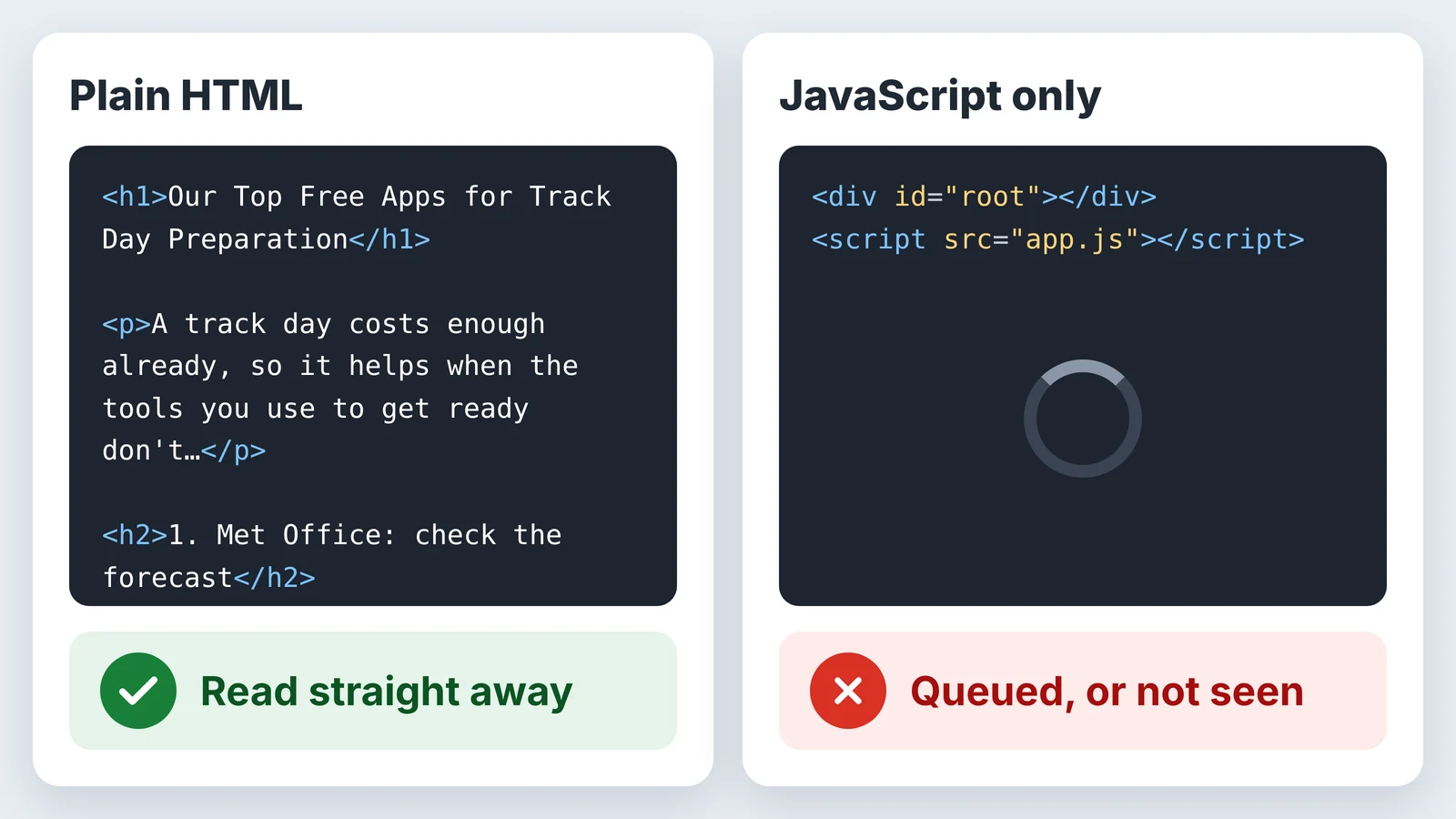
When we've looked into sites that aren't ranking well, a lot of them are heavy React builds with a mix of server and client components, where the actual content never makes it into the HTML that's sent out. Google can usually still render them, but it's more work. Our view is that a page Google can read straight away has an easier time than one it has to queue up and come back to, especially when there are plenty of other pages in the list that it can read without any extra effort.
You can check your own site in a few seconds. Open a page, right click and choose View Page Source. If you can't find your main heading and text in there, search engines are relying on JavaScript to see them. It's also worth running the page through our free speed checker, because heavy JavaScript tends to slow a page down too.
3. Niche down
A lot of businesses, when they first decide they want a website, want to conquer all of Google. They want to be at the top for their trade in a big city, and expect a brand new website to outrank businesses that have been building up their sites for years.
In our experience, that never works. Without real time, patience and a strong backlink profile, you won't rank for the keyword you're hoping for.
So with ApexGuide, we didn't try to take over the results for "track days". We spent time understanding our niche and looked at the sites ranking for the more specific searches, then focused on those. That meant we could write content that answers what people in that niche are actually searching for, which is far more useful to them than another general page about track days.
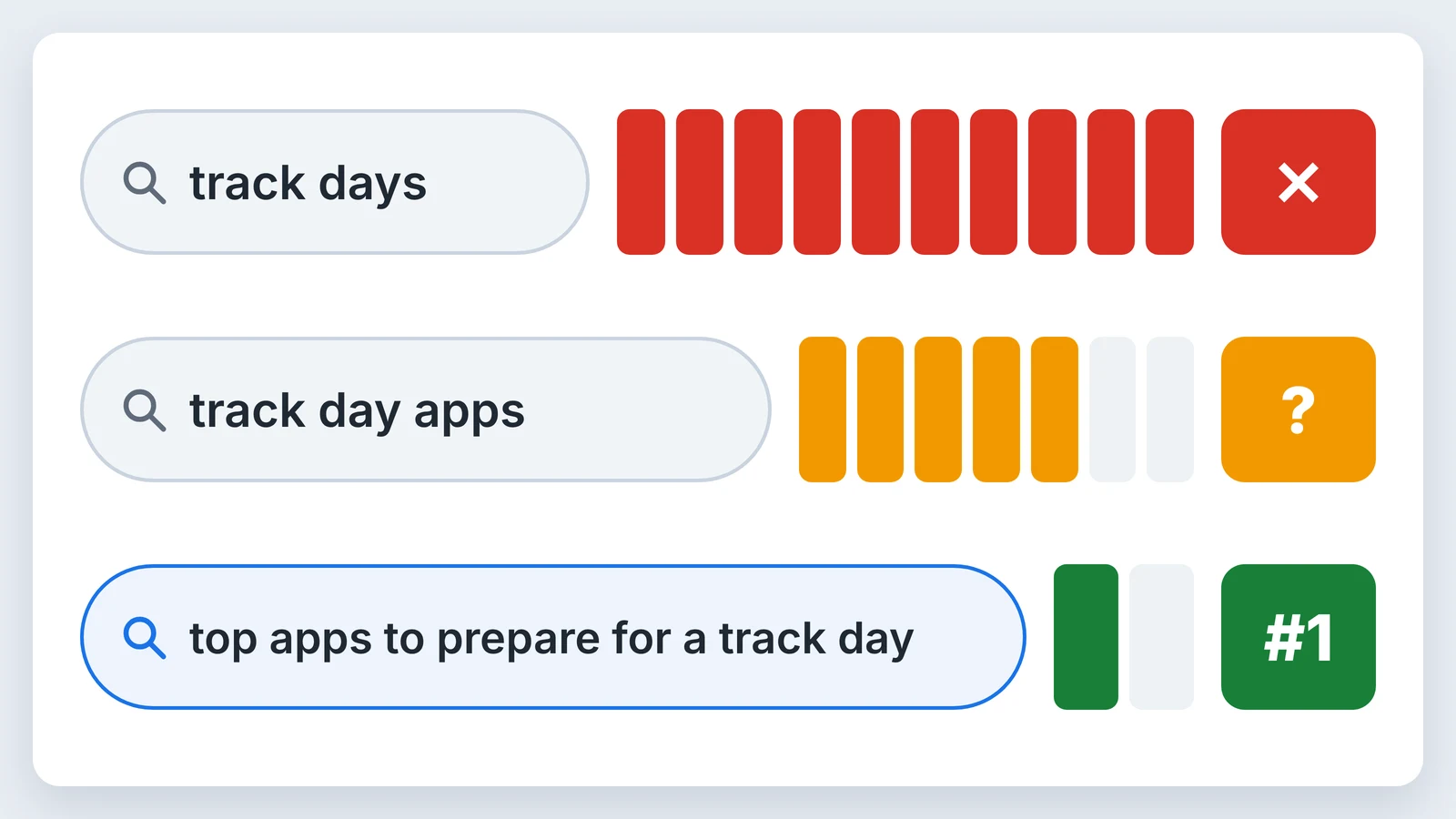
You can rank for the big keywords eventually, but it all comes with time. If your site is brand new, don't expect to be at the top for them straight away.
4. Do your keyword research
Leading on from that, do proper keyword research. We used Semrush, Ahrefs and Google's own search data to find keywords ApexGuide could realistically rank for. We started from broader searches like "car track day apps" and "top apps", then looked at what people also searched for off the back of them.
The search we ended up going after didn't come from a tool first, though. I go to track days regularly, and "top apps to prepare for a track day" is the kind of thing I'd searched for myself before an event. The tools backed that up: people were searching for it, and hardly anyone was competing for it. If you know your customers well, or you are one, your own searches are a good place to start.
Then we checked who was ranking for those searches. The articles we found were years old, including an Auto Express test of lap timer apps from July 2015 and a guide to data logging apps from 2018. That gave us confidence that a new, up to date article would bring something to the results that wasn't there already, which is what Google wants to show people.
Google and ChatGPT didn't pick ApexGuide up in the same way, though, so it's worth looking at them separately.
Google: one search, one article
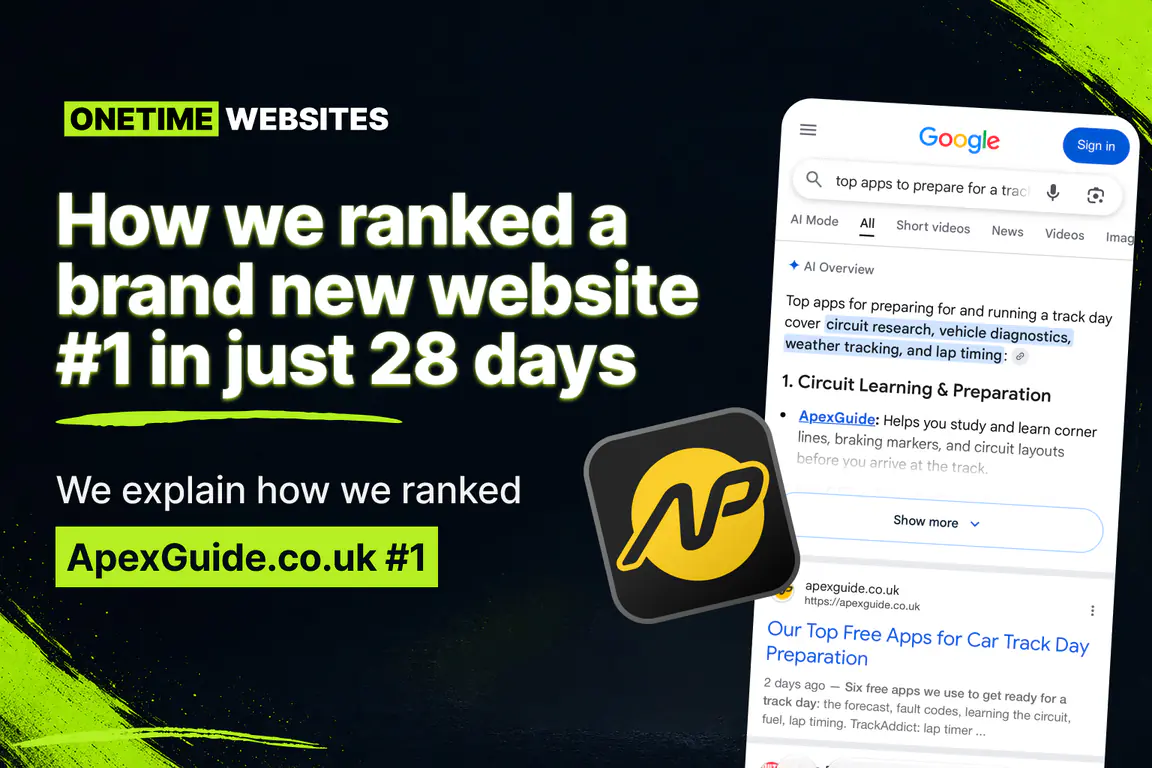
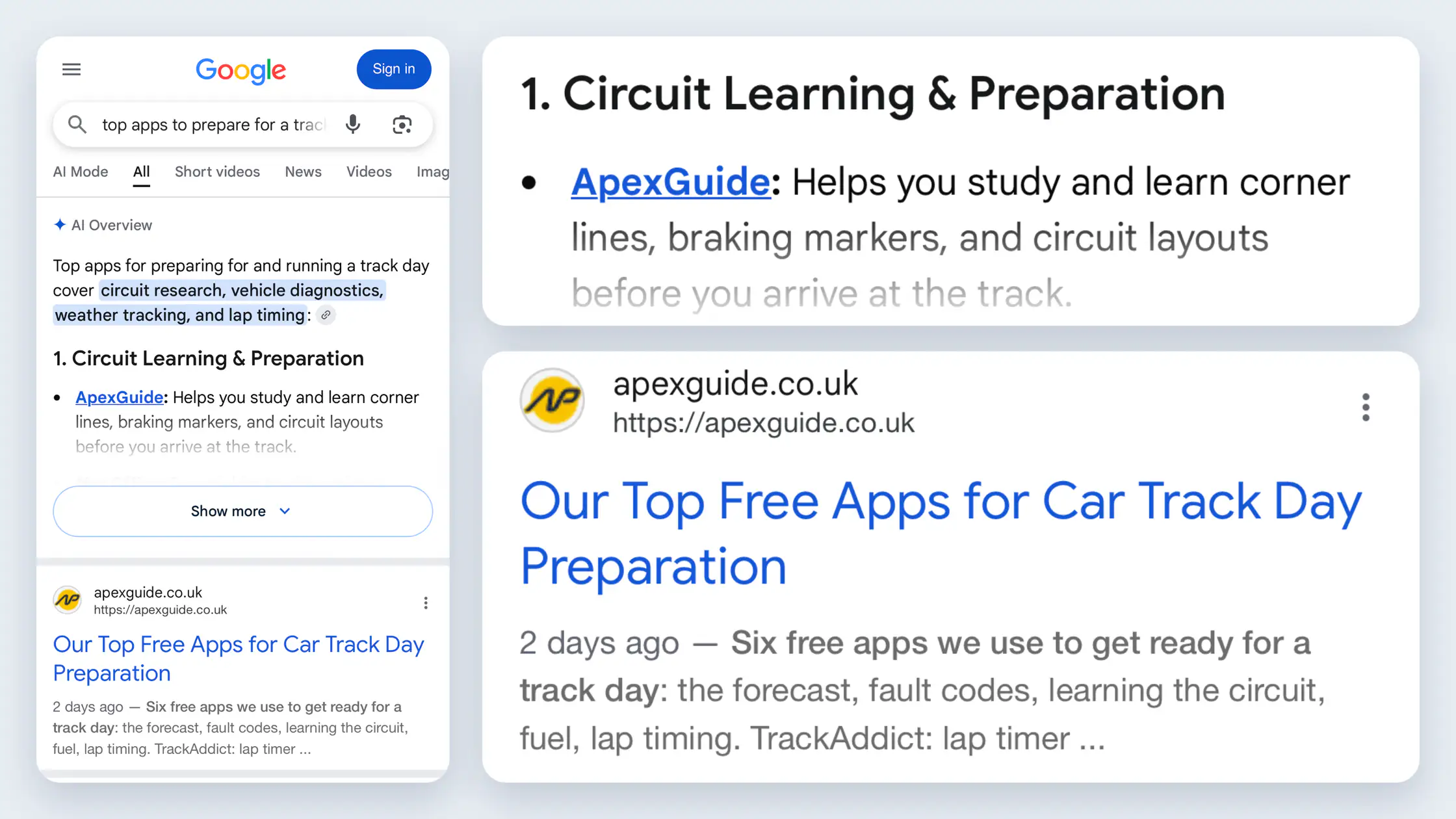
On Google, we were targeting a keyword. We published Our Top Free Apps for Track Day Preparation, and two days later it was the top result for "top apps to prepare for a track day". ApexGuide is also the first app named in Google's AI Overview for that search.
The 2015 Auto Express article is still there, right underneath us. Old content doesn't disappear when you publish something better, but Google will put the newer, more useful page above it.
Search Console has a newer report called Generative AI features, which shows how often your site appears in Google's AI answers. ApexGuide had 330 impressions there in its first 28 days. For most of that time it was getting between 5 and 15 a day, then from 12 November it jumped to around 35 to 40 a day. It's early days and the numbers are small, but they're going the right way.
ChatGPT: a question, not a keyword
People don't type keywords into ChatGPT. They ask a full question, and they word it differently every time. We tried a few versions, from "What app can I use before learning a race track before going on it?" to "What app or tool can I use to learn the racetrack before going as I've booked a race day?" Each time, ApexGuide came first, and in one answer ChatGPT labelled it "Best overall". That started within 14 days of the site going live, before the apps post was even written.
We didn't write a post aimed at any of those questions. What ChatGPT says about ApexGuide is almost exactly how the site describes itself: a free browser-based simulator that takes you round a circuit from the driver's seat, with braking zones and the racing line. Because the site says plainly what ApexGuide is and who it's for, in HTML that AI crawlers can read, ChatGPT had everything it needed to recommend it.
So for AI search, don't just chase one keyword. Make sure your site answers the questions your customers would ask, in plain words, on pages a crawler can read.
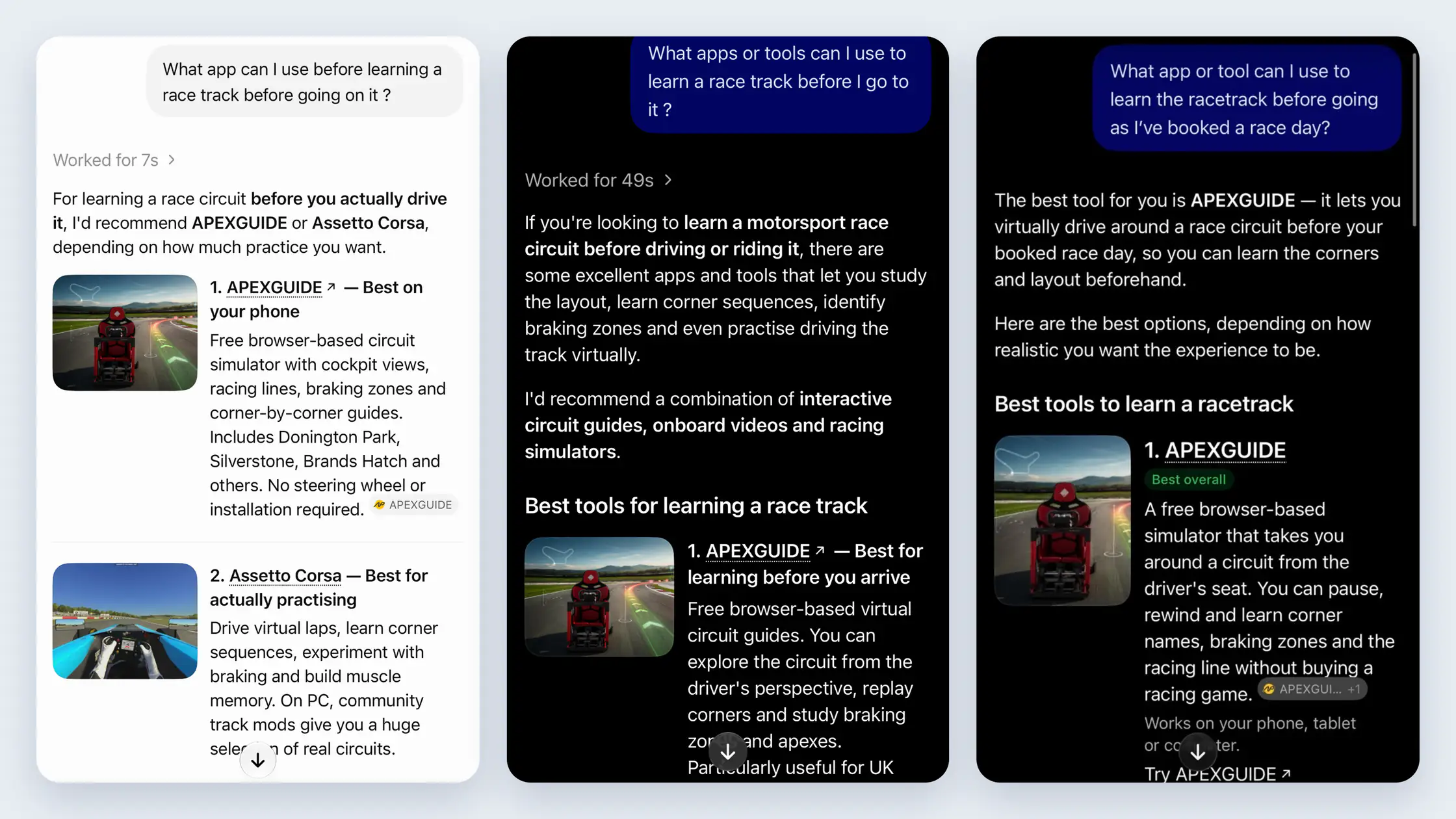
AI answers vary more than Google's normal results, depending on how the question is asked, and Google and OpenAI are forever tinkering with them. We treat any ranking as a snapshot rather than something that's ours to keep.
5. Get your structure right, then tell Google and Bing
A well-built page still needs to be found. This part is less exciting, but it's where a lot of new sites fall down.
Structure your pages
Search engines and AI tools find it easier to understand a page when it's laid out clearly. On every page, we check for:
- One H1 heading that says what the page is about, with the main keyword in it.
- H2 and H3 headings that break the content into sections, in order. On the apps post, each app has its own H2.
- A page title and meta description written for people, not stuffed with keywords.
- A short URL that describes the page, like /knowledge-base/free-track-day-apps.
- Links to and from related pages on the site, so Google can reach a new page from ones it already knows.
- An XML sitemap that lists every page you want in the results, and updates when you add one.
I go into more detail on the on-page side in SEO and AEO explained.
Google Search Console
Search Console is free, and it's the best way to see your site the way Google does.
Start by adding your site. A Domain property covers every version of your site (with and without www, http and https) and is verified with a DNS record. A URL prefix property covers one address and can be verified in other ways, such as uploading an HTML file. If you can get into your DNS settings, go for the Domain property.
Next, submit your sitemap. Go to Sitemaps in the left-hand menu, under Indexing. Enter your sitemap address, which is often /sitemap.xml, and click Submit. Google will keep checking it from then on, and the report shows when it was last read and how many pages it found.
Then, whenever you publish something new, paste its full URL into the search bar at the top of Search Console. Google checks whether the page is in its index. If it says "URL is not on Google", click Request indexing. Google runs a quick live test, then adds the page to its priority crawl queue. There's a daily limit on requests, and asking doesn't guarantee the page gets indexed, but it's usually much quicker than waiting for Google to find it on its own.
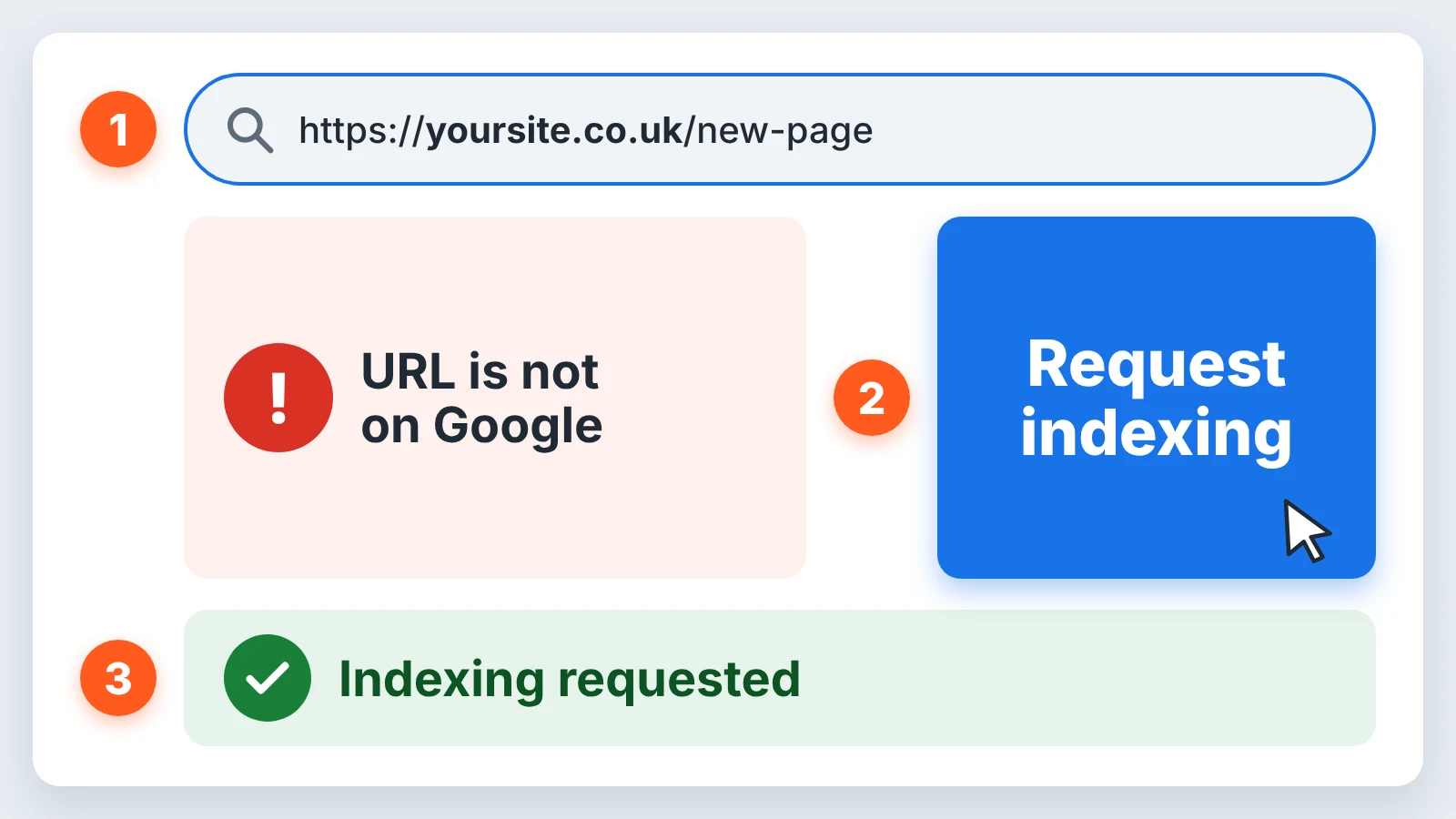
Once you're set up, the Page indexing report shows which of your pages are in Google and, for the ones that aren't, the reason why.
Bing Webmaster Tools
Bing is easy to forget about, but its index powers more than Bing. Microsoft Copilot uses it, and so do other search engines such as DuckDuckGo.
Adding your site is quickest if you import it from Google Search Console. Bing brings your verified sites and sitemaps across, so there's nothing to verify again. If your sitemap didn't come over, add it in the Sitemaps section.
For new pages, the URL Submission tool lets you paste in a list of addresses, one per line, and shows your daily allowance. For us that's 100 URLs a day, which is plenty for a new or small site.
You can also set up IndexNow, which tells Bing and other supporting search engines about new or updated pages automatically. I wrote a beginner's guide to IndexNow that covers how to set it up. Google doesn't use IndexNow, so you still need Search Console for Google.
6. Be consistent, and understand your topic
Finally, be consistent. In our experience, Google likes to know a site is alive, and posting useful content every week gives it a reason to keep coming back to your site and keep it relevant.
We've seen too many sites drop down the rankings because they just stopped posting. Whether it's a blog about their business or a case study on a client, at some point they always stop. Then, months later, we hear the same thing: why has the phone stopped ringing? A website is like growing a plant. It needs your time and attention to grow.
This ties back into Search Console and Bing. Google is good at checking sites, but it can miss yours. If you've updated content or posted new blogs and haven't seen much change, or it's just been a while, submit your sitemap again so Google has the latest version of your site. Submit the new URLs by hand at the same time. In Bing it's quick, since you can paste in up to your daily limit in one go, or set up IndexNow and let it happen on its own.
Want a hand with it?
ApexGuide went from a brand new domain to #1 in 28 days by doing these six things properly. None of them are tricks, and you can do most of them yourself.
If you've got a site that isn't showing up, or you're about to launch one and want it built this way from the start, get in touch and we'll take a look.